12 proven ways to get more business reviews
You need to ask your customers for reviews, so create a Review Engine. These are twelve easy ways to boost your business profiles.

Your best salespeople are your past customers
Every happy customer is a potential salesperson and a review is how they sell to the next person choosing between you and someone else.
Left alone, your business profile will skew towards whoever felt strongly enough to write in. Typically, happy customers stay quiet while angry ones tell everyone.
The Spiegel Research Center at Northwestern found customers who were asked for a review averaged 4.34 stars. While customers who wrote in unprompted averaged 3.89 stars, with a large cluster at one star.
But when buyers shop, they read the best review and the worst one. They use those to judge whether your company is real and what the potential downside would look like. So, you want to ask every customer for a review to give the next shopper a realistic understanding of your company.
Two constraints come with that and both are law. You can’t pay for a review or condition anything on one, and you can’t ask only the customers you expect to like you. Specifics are in the FAQ below.
“I called on a Tuesday and someone was out the next morning. They walked me through the whole repair and never pushed a plan I didn't need.”
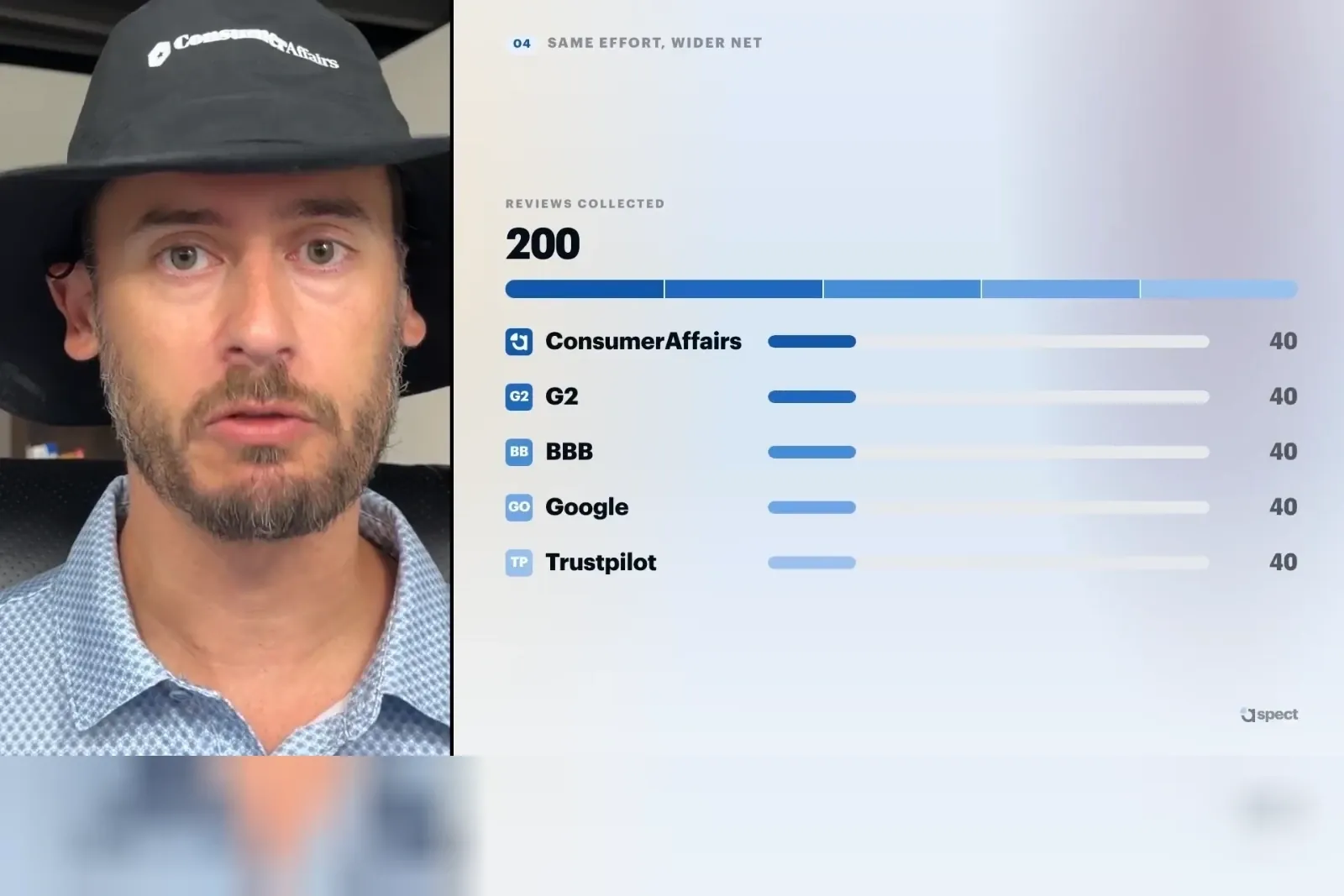
Reviewed Aug. 12Here’s a look at the 12 places the Review Engine at Aspect recommends you ask for a review
You’ll find the transcript below the video.
Read the full transcript
Lightly edited from the auto-generated captions. We publish the recording as shot and correct it in place rather than re-record, so where the narration goes further than our sources do, the correction sits inline.
Which ones are you using?
Tick the placements you already have running. The point is the gap, not the score.
Tick the ones you have running. Most businesses we talk to are using one, and the second one is where the increase comes from.
Call them and record it
The best part of working with Aspect is that we call your customer to get in-depth stories about your company. People talk 2-4x faster than they type, so you can get much longer reviews over the phone.
Not to mention that the questions you ask can get at the certain aspects of your product you want feedback on.
What made you choose us over the other companies you looked at?
How did the day of the install go?
What would you tell a friend who is thinking about hiring us?
In the email receipt
The best place to automate a request for a review is on the email receipt. You can put it under the order summary.
While this will get at every customer, it’s early in the process so they will not have experienced the product. It will reveal stories about the buying process and what it was like working with your sales team.
How did the purchase go? It takes two minutes and helps the next buyer decide.
{review link}
After a closed support ticket
Adding an ask to a support ticket will be a gold mine of the best performing reviews. Those where there was a problem, but then you fixed it.
That before-and-after story of how your company handled a problem is invaluable to a buyer on the fence. They gain an understanding of how you will handle a situation that goes south.
Your case has been closed. If you have a minute, would you write up what the problem was and your experience?
{review link}
Send an anniversary email
A customer who has been with you for a year has seen how the product holds up and what support is like. Reaching out here gives them a chance to tell a story about working with you and the product.
We’re so excited to have been working with you for a year! Can you share a story about us with a future customer?
{review link}
Asking for more than one profile
The idea here is that you have to manage multiple profiles online. Ask for a review in a rotation over time. You can typically set this up in your CRM so that you don’t flood one profile with hundreds of reviews, while others get zero.
For example, ask for a review for ConsumerAffairs one month, Google the next, and Yelp after that. Each profile builds up with a full scope of reviews instead of one with all the complaints.
- Month 1 ConsumerAffairs
- Month 2 Google
- Month 3 Yelp
- Month 4 Back to ConsumerAffairs
Add an ask to the thank-you page on your site
On the order confirmation page, ask for a review. Much like the receipt email, these will get insights into the buying process.
Really any time a customer finishes an interaction with you on your site, it’s an excellent time to ask. They will have a fresh story about one aspect of your company.
Thank you for your order! How did we do?
{review link}
Add a link in your header, footer and testimonial pages
A link in each one of these sections is another chance to grab a review. Profile links in the footer and header can add credibility while directing customers to another owned property.
Furthermore, those links tell Google and other LLMs which profiles are the source of truth about your company or brand.
Use two links rather than one. Read our reviews
for the visitor who is deciding, and Leave a review
for the one who has already decided. A single “Reviews” link serves the first and hides the second.
QR codes for in-person installations
Add a QR code to the packet of printed material at the end of an install. Or at the end of a receipt. This review ask works for high-consideration purchases where you are with the customer and hand them a packet.
You can point at it and say, “Please leave a review” while standing next to them. And, again, ask everyone!
On the card: Tell us how we did.
What the company rep can say: Please scan that code to leave us a review. It really helps the next customer.
Draft a social post
This review request leverages all of social media. The steps are straightforward:
- Take a review you already received
- Post it, maybe with some AI formatting, but with the words verbatim
- Invite other customers to add their reviews with a link.
This method takes advantage of existing reviews.
This came in last week and we have not stopped thinking about it. If we have worked with you, we would like to hear how it went, good or bad.
{review link}
You don’t actually want a 5.0 star rating
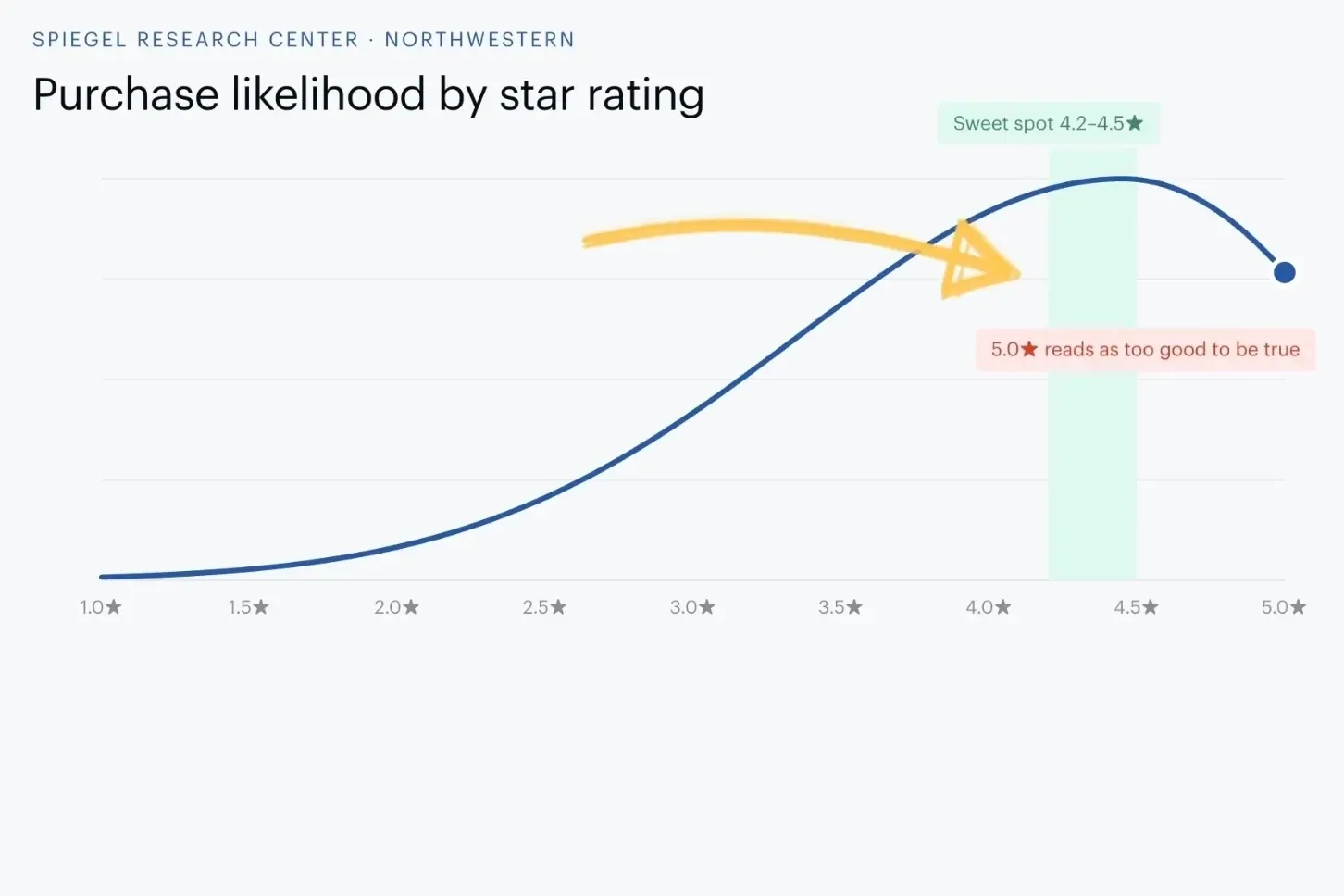
It turns out, buyers trust 4.2 to 4.5 star ratings more than a perfect score.
The Spiegel Research Center at Northwestern found purchase likelihood climbs with star rating, but falls as it approaches perfect. Just think of a product on Amazon, would you really trust a perfect 5.0 star rating?
So your goal should be to ask every customer for a review to get a full picture of what it’s like to work with you. You should be building trust, not skepticism with your star rating.
But don’t go too far the opposite way. We have a calculator to see what your low star rating is costing you.
Send to our BCC address
Several review platforms, including Aspect, give you an address to BCC. Whenever you send a receipt or some other trigger email, you BCC the platform.
That 3rd party platform then emails or contacts the customer asking for a review. The 3rd party source gives the ask more weight as it should be a trust signal that the review won’t be biased.
Once you set this up, you have an automated review collection method.
- To
{customer email} - BCC
{your platform’s BCC address} - Subject Your receipt from
{company}
CRM triggers
In HubSpot, Salesforce or ServiceTitan, if something moves to Closed Won or becomes a renewal, they get an automated email for a review.
Identifying the right triggers for your business is the most important part. You want to get as many long form stories about you and your brand as you can.
- When Deal stage moves to Closed Won
- When A renewal is marked won
- Then Send the review request email with
{review link}
Send a text message
SMS can run off the same triggers as the other requests above, but comes in from a different source. The TextUs 2026 report put SMS response rates at roughly 4x email (for sales outreach).
The idea here is pretty simple. When was the last time you didn’t read a text message? It takes care of the first half of the problem of getting them to see the review request.
Just make sure you have working opt outs and follow all SMS requirements.
Hi
{first name}, it is {company}. Your install wrapped up Tuesday. Would you leave us a review? {review link} Reply STOP to opt out.
Frequently asked questions about asking for reviews
How do you ask for a review without being pushy?
Can I offer a discount or a gift card for a review?
Should I only ask customers I know are happy?
How many places should I be asking in?
Do I need permission before texting a customer for a review?
What star rating should I be aiming for?
Are longer reviews better than short ones?
Turn on your Review Engine with Aspect
Aspect helps you collect reviews by setting up automation and proactively calling your customers. These conversations create long form stories about working with your company.