1
A recent review
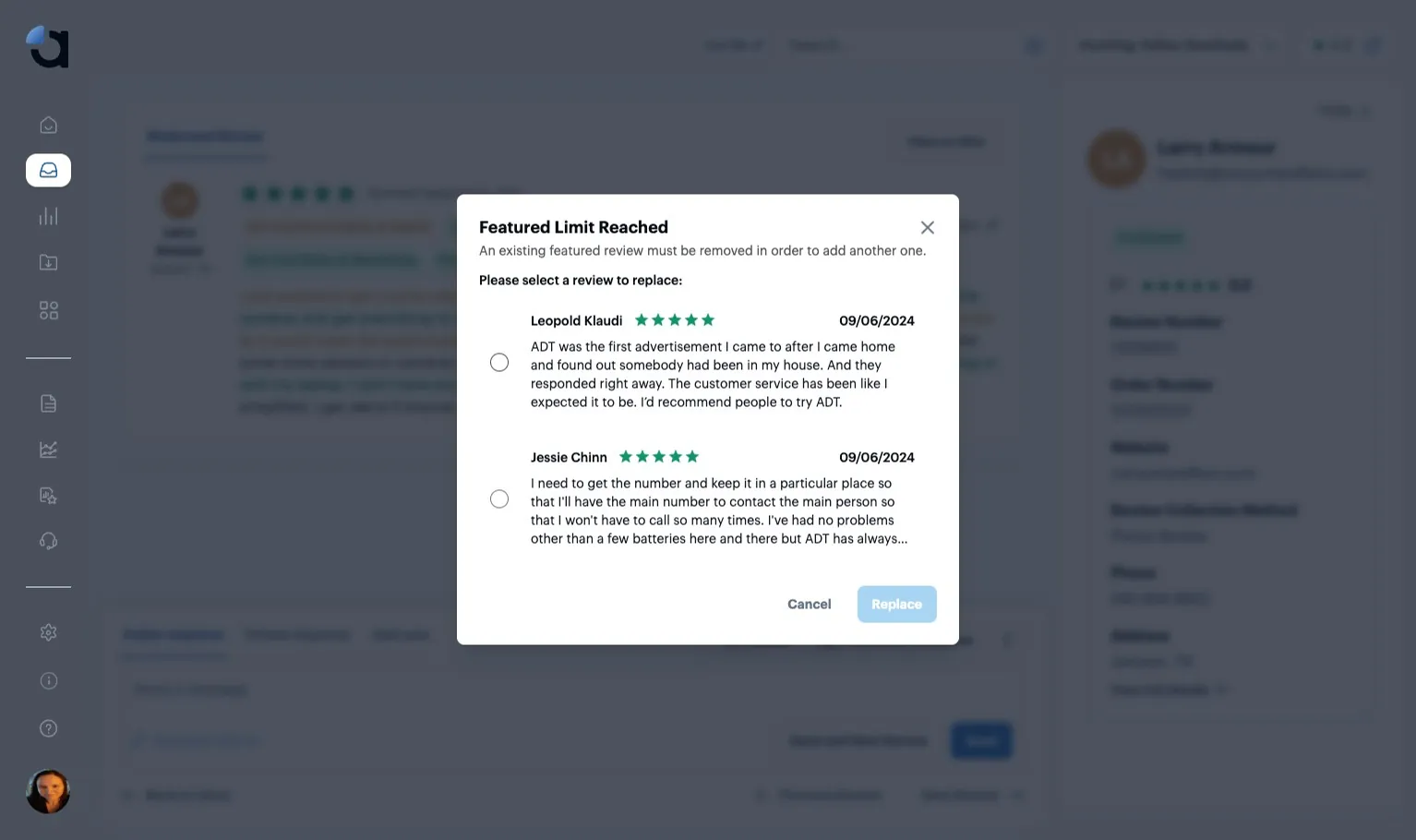
Newer is better. A review from last month tells a shopper more about you today than one from three years ago. When you reach your limit, replace your oldest Featured Review.
How ConsumerAffairs uses cookies
This website utilizes technologies such as cookies to enable essential site functionality, as well as for analytics, personalization, and targeted advertising. To learn more, view the following link:
Choose the review shoppers see first on your ConsumerAffairs profile, and swap in a newer one whenever you like.

A Featured Review is the first review shown on your ConsumerAffairs profile. It’s the one a shopper reads before any other, so pick one you’d want every new customer to see.
Newer is better. A review from last month tells a shopper more about you today than one from three years ago. When you reach your limit, replace your oldest Featured Review.
Aim for a spotlight review, one where you turned a customer’s one-star experience into a four or five-star one. It shows a shopper what happens when something goes wrong.
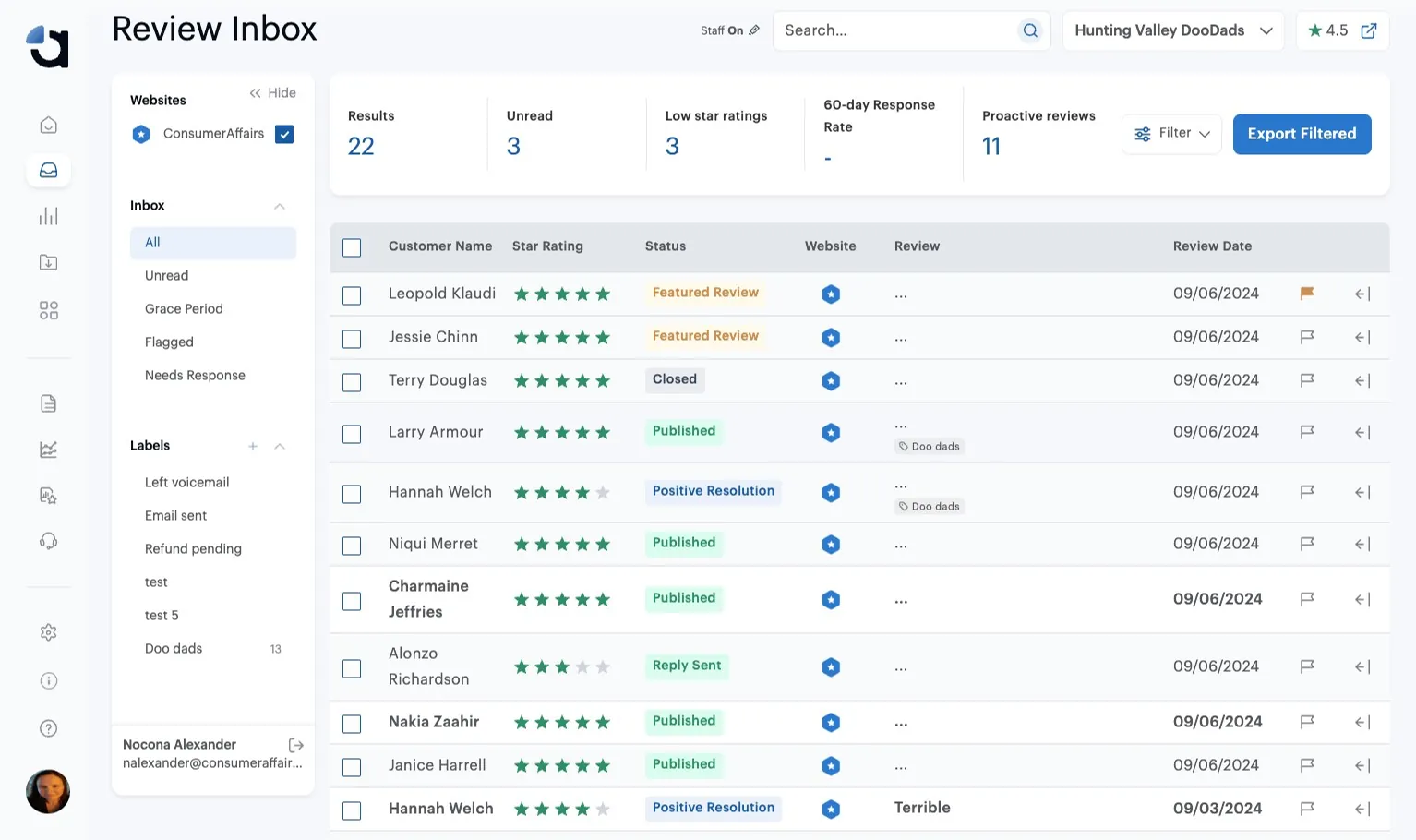
Navigate to your ConsumerAffairs Dashboard using this link.
Click into your current “Featured Review.”
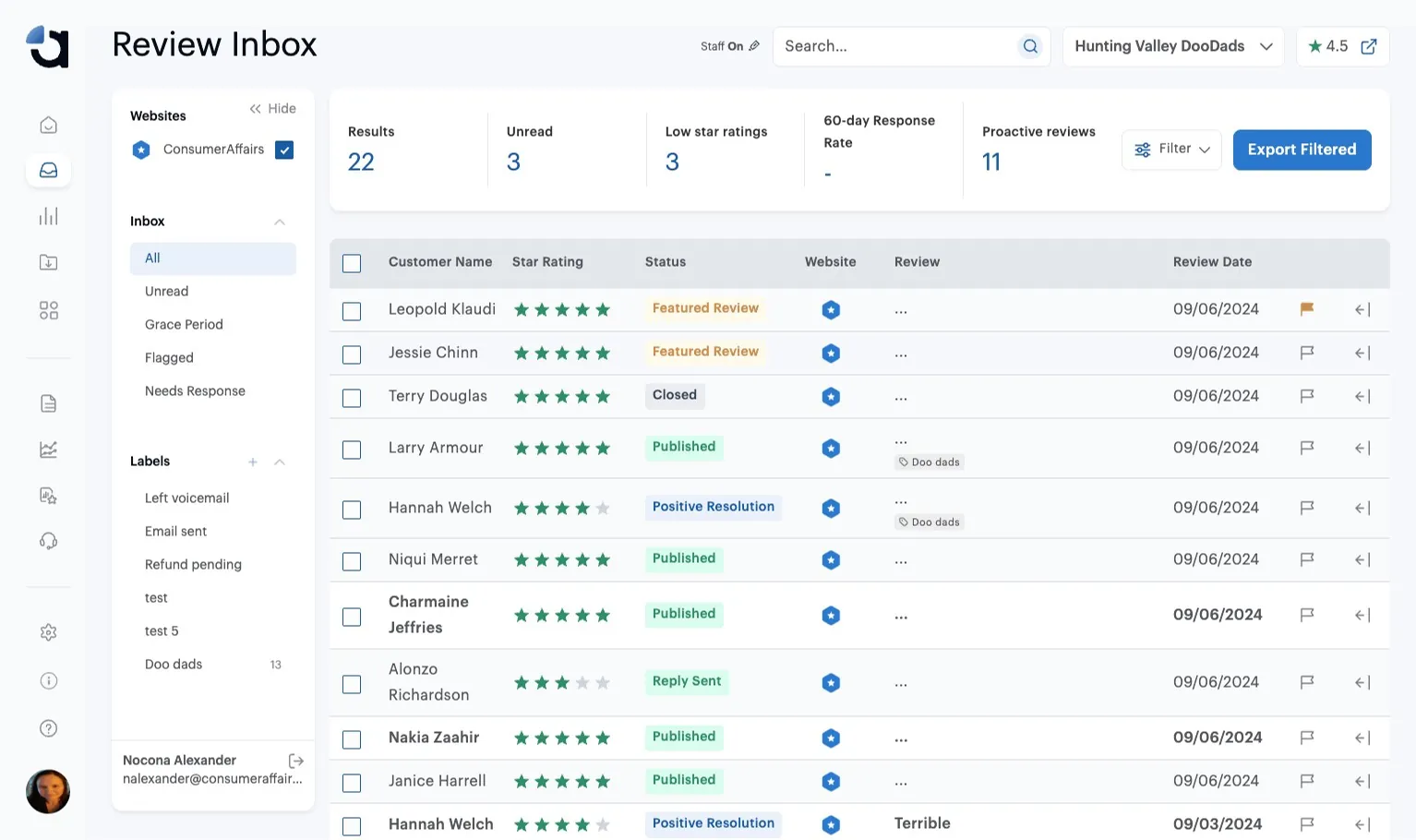
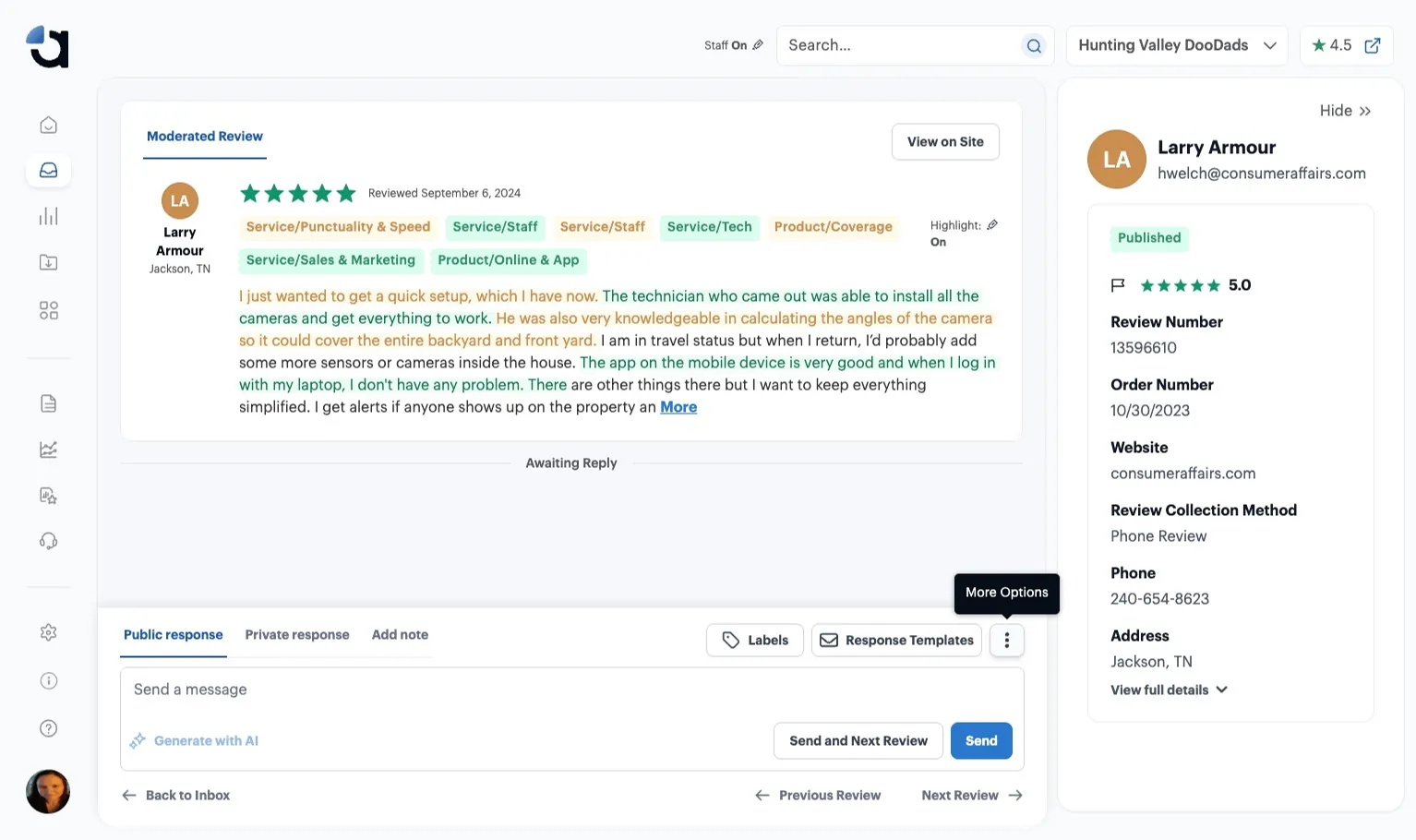
Click the “More Options” icon.
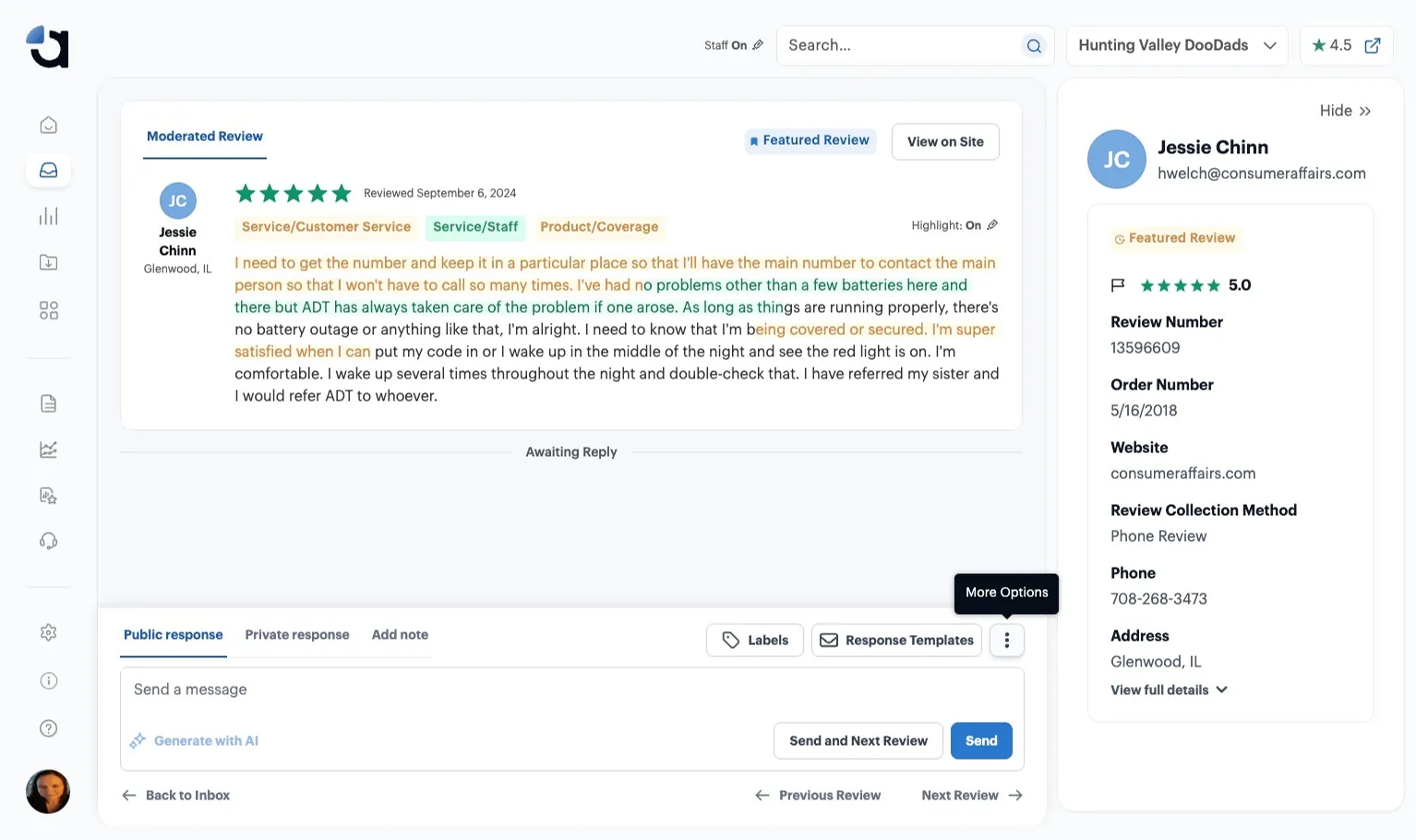
Click “Un-feature this review” to make space for a new Featured Review.
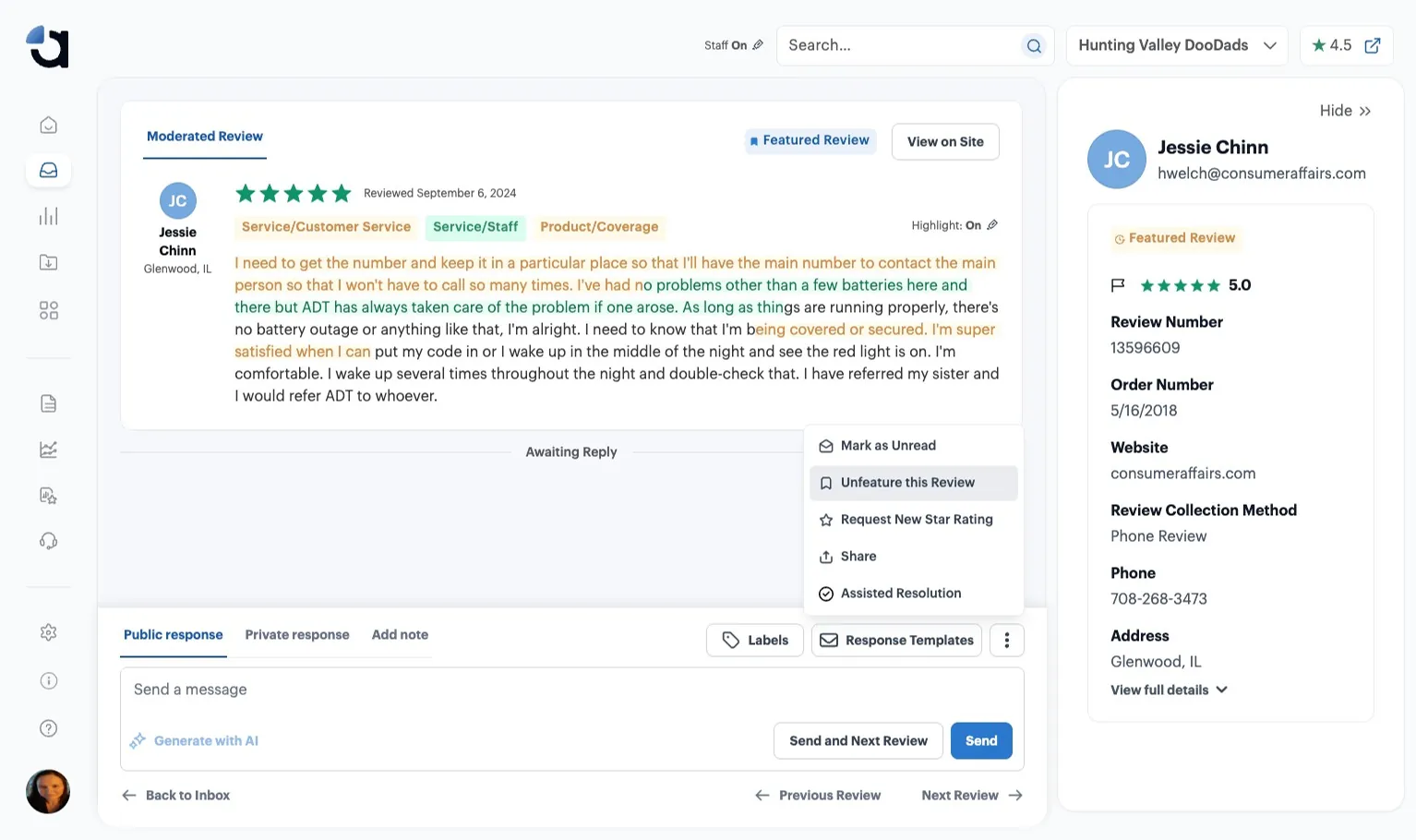
Click into your chosen review. The newer the better!
Click the “More Options” icon.
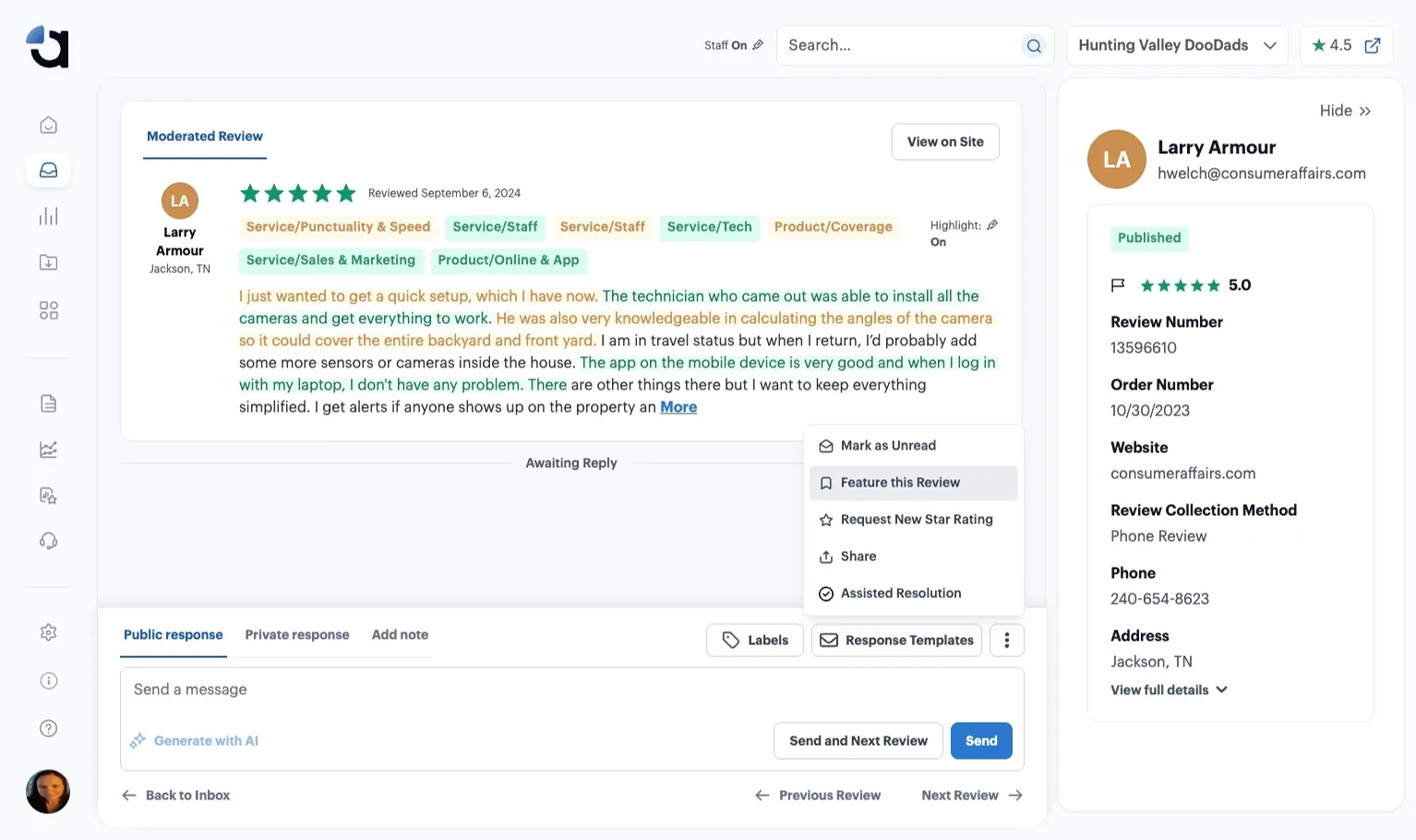
Click “Feature this Review.”
If you’ve already reached your Featured Review limit, you’ll be asked to choose a review to replace. We recommend replacing the oldest Featured Review.